1. A first sketch
We all work in OpenProcessing: p5.js in the browser, with nothing to install, and a fork button that copies anyone's sketch with one click and keeps the link back to theirs.
- Sign in (a free account is enough) and choose Create a Sketch. Leave the mode on p5.js.
- Open first-sketch.js, copy all of it, and paste it over the starter code.
- Press play (▶). Click to stamp, drag to draw. Save the sketch so it has a link you can share.
Each sketch on this page comes as one .js file to paste in the same way. To see what forking looks like, open a course sample and fork it: bar chart, pie chart, text click.
2. setup() and draw()
Every p5.js sketch has two main functions. setup() runs once. draw() runs about sixty times a second. Event functions such as mouseClicked() run when something happens.
function setup() {
  createCanvas(windowWidth, windowHeight);
  background('#efe4cf');
}

function draw() {
  if (mouseIsPressed) {
    stroke('#7b4fb3');
    strokeWeight(6);
    line(pmouseX, pmouseY, mouseX, mouseY);   // from last frame's mouse to this one
  }
}

function mouseClicked() {
  fill(random(['#c0544a', '#3f8f8a', '#e2b33c']));
  rect(mouseX - 20, mouseY - 20, 40, 40);
}
In first-sketch.js, every line marked TRY is a place to change one thing. Change the colours, swap rect for ellipse, make every stamp the same size, and press ▶ again. Press S to save the canvas as an image.
Breaking it is part of the exercise. If the canvas goes blank, read the first red line in the console under the code. It usually names the line number.
3. Add your grammar
Make a new sketch from tracery-particles.js. Every click flattens a Tracery grammar into a line of text that drifts and fades. Tracery itself is pasted in at the bottom of the file, so there is no library to add. Find grammarSource at the top and paste your Act II grammar over it:
const grammarSource = { /* your grammar from Act II */ };

function setup() {
  createCanvas(windowWidth, windowHeight);
  grammar = tracery.createGrammar(grammarSource);
  grammar.addModifiers(tracery.baseEngModifiers);
}

function mouseClicked() {
  particles.push(new Particle(mouseX, mouseY, grammar.flatten('#origin#')));
}
Then try the TRY lines: longer trails, a different drift, your own colours.
Stills become buttons. An animation is a run of frames, and any one of them can leave the screen. When you catch a frame you like, press S to save it as a PNG (it works in your first sketch too). We'll print animation stills and make buttons from them, so save a few.
4. A grammar you can spin
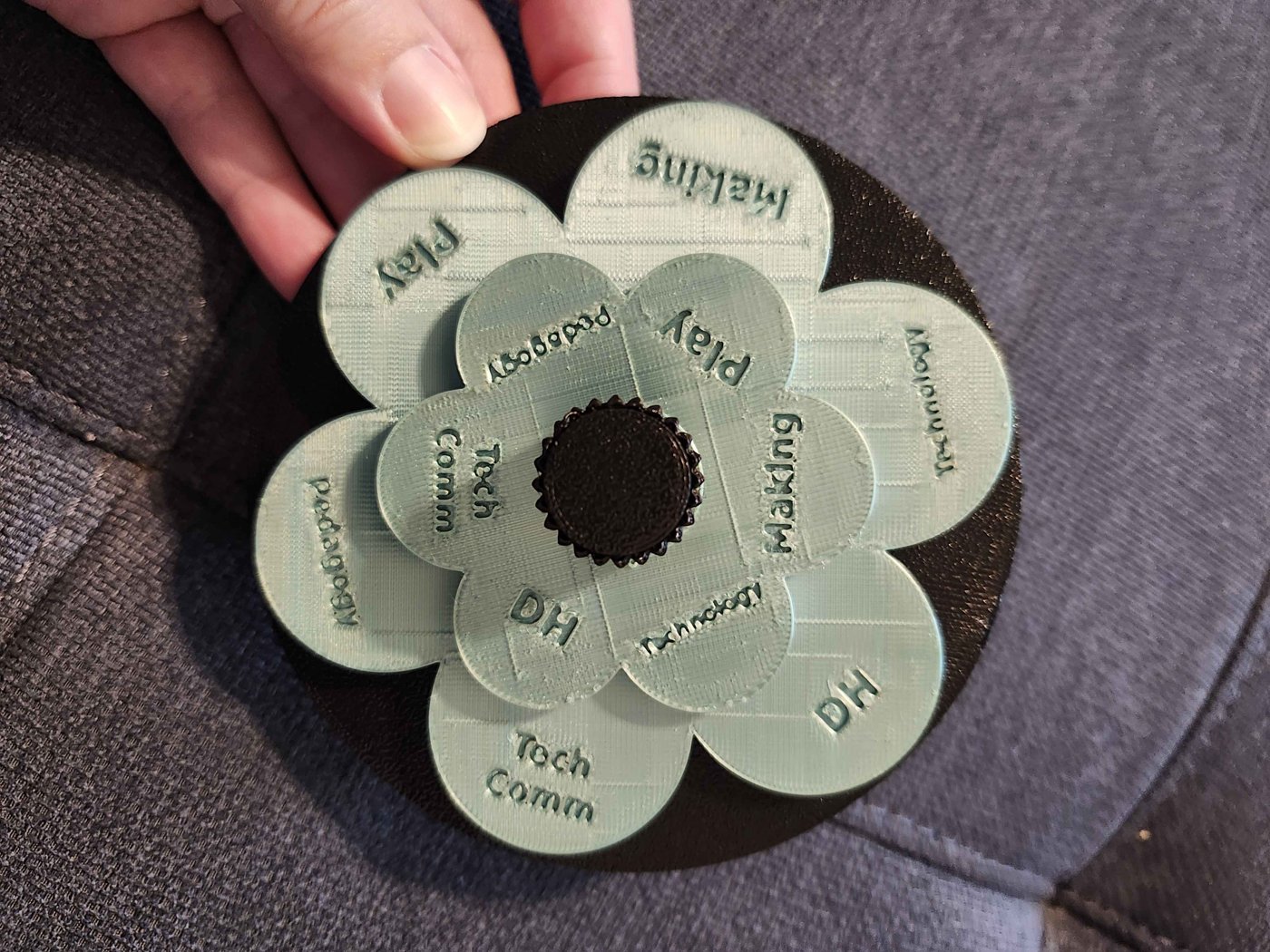
Make a new sketch from flower-spinner.js. Two rings of petals turn on their own. When they stop, the pointer reads one word from each ring, the way a two-symbol rule like "#outer# meets #inner#" would.
Change the words to two fields of your own, or two halves of your grammar. This is a prototype of a physical object: in Act IV you'll turn it, or the four-ring cryptex, into a 3D print. Notice what the screen version can do that the print can't, and the other way round.
5. Fork and credit
The particle sketch has a history: an example by Allison Parrish, adapted for a critical making course, adapted again here. Each version keeps the credit in a comment at the top. Do the same:
// Grammar and words: (you).
// Particle code adapted from the ENG 6819 demo, after Allison Parrish.
// p5.js (LGPL 2.1) and Tracery (ISC) are open source.
OpenProcessing keeps part of this for you: a fork links back to the sketch it came from. The comment keeps the rest, including the people who never had an account there.
Then download your sketch from OpenProcessing and keep the file. A p5.js sketch is a plain text file. You can read it, keep it, and open it in ten years without anyone's permission, or the platform's. You'll upload it in Act IV.
Unmake
- Flash let a generation of small makers publish to the web, and when it ended, a huge amount of their work was lost. What would it take for your sketch to still run in twenty years?
- If you paste your sketch into an AI assistant and it rewrites it, is it still yours? What about the grammar inside it?
- Try distant coding: open a sketch you didn't write, find one line you understand, change it, and see what happens. How much of the code do you need to read to change it with intention?
VISITORS: 001999
Reference files
- first-sketch.js
Shapes, colour, mouse and keyboard, with TRY comments. Paste into a new OpenProcessing sketch. (See it run.)
- tracery-particles.js
Tracery inside p5: click to release drifting lines. Tracery is included at the bottom. (See it run.)
- flower-spinner.js
Two rings of words that spin and pair at a pointer. (See it run.)
- cryptex-3d.html
A 3D preview of a four-ring grammar cryptex. Act IV starts here.